
Many foreigners who have just arrived in Japan often ask us, “How do I use Google Maps in Japan?”
Especially for:
- Train transfers
- Finding the correct platform
- Checking arrival times
- Walking directions
- Using buses
Google Maps can make daily life in Japan much easier.
In this article, we will explain the basic way to use Google Maps in Japan with a real example!
First, Install Google Maps
Google Maps is an essential app for living in Japan.
- Android → Google Play
- iPhone → App Store
You can download it for free.
Download Google Maps on the App Store Download Google Maps on the Google PlayIn Japan, Google Maps can be used for:
- Trains
- Walking
- Bicycles
- Buses
- Cars
It supports almost every type of transportation.
Example: Kansai Airport → Namba Station
Let’s search for how to travel from Kansai International Airport to Namba Station.
① Open Google Maps
Launch the app.
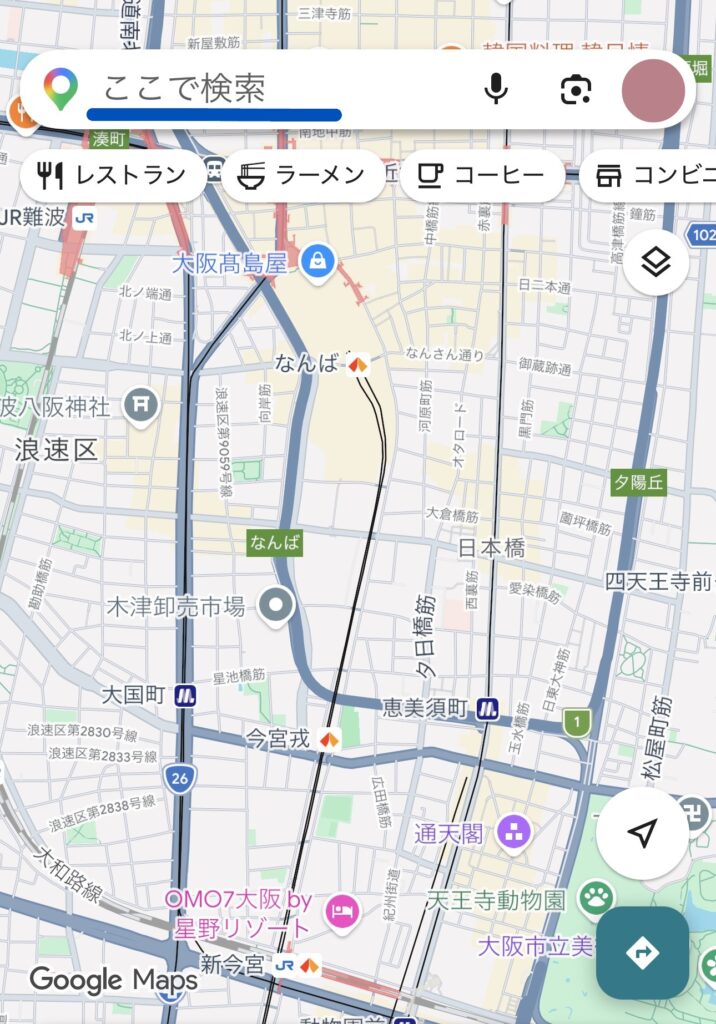
② Enter Your Destination
Type:
Namba Station
in the search bar.
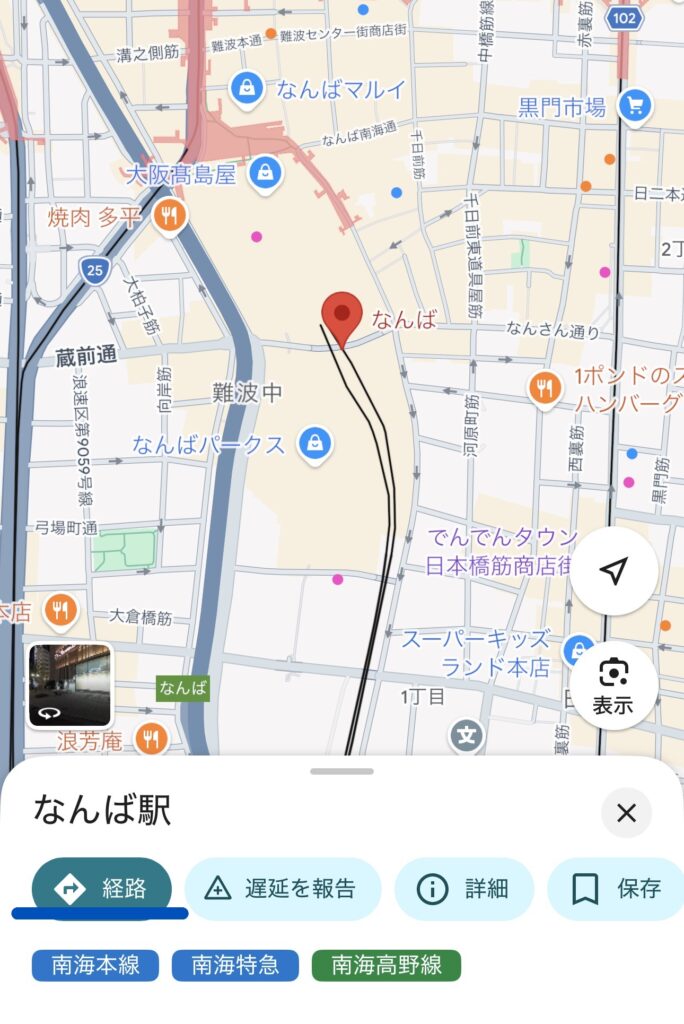
③ Tap “Directions”
Press the blue “Directions” button.
④ Enter Your Starting Point
Type:
Kansai International Airport
as your departure location.
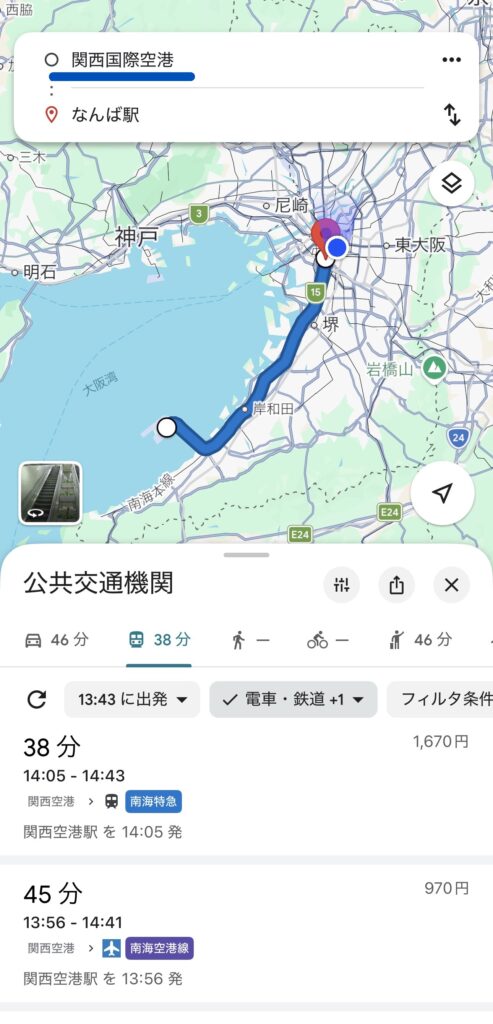
Select the Train Icon
Instead of walking or driving, tap the train icon.
Then Google Maps will show:
- Which train to take
- Platform numbers
- Transfer stations
- Ticket prices
- Arrival times
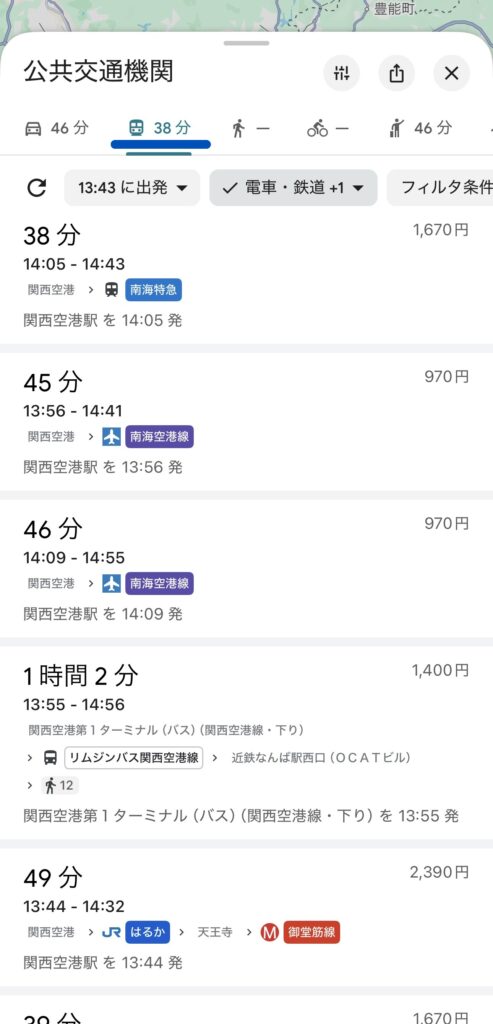
Common Route: Kansai Airport → Namba
Usually, Google Maps will show:
Nankai Railway Rapit or Airport Express
- Kansai Airport Station
- ↓
- Namba Station
This is one of the most popular routes.
Approximate Fare
- Airport Express: around ¥970
- Rapit Express: around ¥1,500
The Rapit is faster and has reserved seats, while the Airport Express is cheaper.
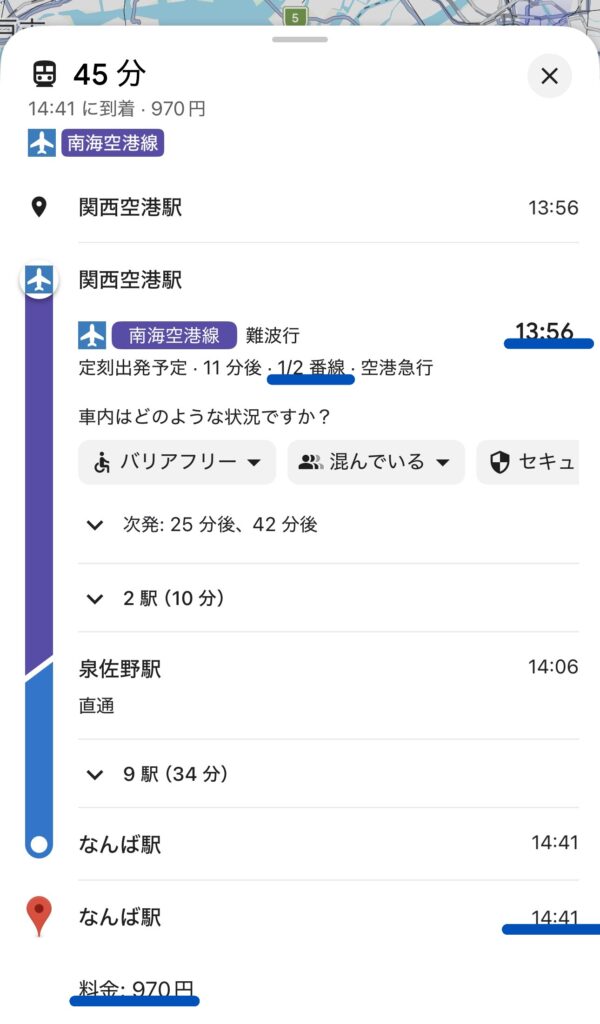
Useful Features of Google Maps
① Platform Information
Japanese stations can be large and confusing.
Google Maps sometimes shows:
- Platform numbers
- Best train car position
which helps during transfers.
② Accurate Arrival Times
Japanese trains are usually very punctual.
Google Maps is also highly accurate in Japan.
③ Walking Directions
You can easily find routes from stations to:
- Schools
- Workplaces
- Apartments
- Government offices
Important Tips When Using Google Maps in Japan
GPS May Be Weak Underground
In subway stations, your location may sometimes move incorrectly.
In that case, also check:
- Station signs
- Exit numbers
- Direction boards
You Need Mobile Internet
Google Maps requires internet access.
After arriving in Japan, prepare:
- SIM card
- eSIM
- Pocket Wi-Fi
If You Get Lost, Ask Station Staff
Japanese station staff are usually very helpful.
For example, you can show your phone and say:
“I want to go to Namba Station.”
They may guide you directly.
Conclusion
Once you learn how to use Google Maps, life in Japan becomes much easier.
- Going to school
- Going to work
- Apartment hunting
- Visiting city offices
- Traveling around Japan
Google Maps is useful for all of these situations!
If you need help with life in Japan, please feel free to contact willow anytime.
Feel free to contact us on LINE for support with daily life in Japan and apartment search!

*Train fares and schedules may change. Please check Google Maps or official railway company websites for the latest information.